

Salesforce AI Research
Pixel Playground
Making a complex generative AI system feel simple
Pixel Playground is an experimental multimodal AI platform developed by Salesforce AI Research. I designed an interface that brought image generation, editing, object removal, stylization, and other capabilities into a single conversational experience.
My role
UI design
Information architecture
Impact
Pixel Playground was showcased at Dreamforce '23
Contributed to image analysis capabilities later incorporated into Salesforce products

An exploration into generative AI
Salesforce AI Research was experimenting with new ways to generate and manipulate images using natural language. Pixel Playground was created in order to give researchers a way to test and showcase those capabilities directly.
As Pixel Playground's capabilities grew, however, so did the complexity of the experience. The platform's vast array of editing functions created a fundamental design challenge:
How do you make a complex set of AI tools feel like one coherent product?
Organizing the complexity
The initial iterations focused on giving each capability its own interface. Basic image generation could remain conversational, while advanced editing could use a workspace designed specifically for manipulating an existing image.
This approach worked for simpler features, but became difficult to scale as new and more complex capabilities were added. The interface needed to be flexible enough to grow with the platform, without becoming more complicated.
Consolidating capabilities into focused experiences
I decided to group the platform's features into three categories, each with an interface tailored to its functionality. Image-to-text, for example, used a two-column layout that let users converse with the LLM while seeing their edits in real time.


This approach simplified navigation and gave new features a clear place to live, but internal testing revealed another problem: each interface came with its own learning curve. First-time users had to spend time and mental effort familiarizing themselves with each page, creating unnecessary friction during onboarding.
So I removed the categories altogether
Rather than separating capabilities across different categories and interfaces, I consolidated them into a single, flexible conversational workspace that adapted to the task at hand. Individual capabilities were moved into the prompt itself, where users could invoke them with “/”.
One interface, all the capabilities.

A simpler interface required more thoughtful interactions
With the new structure established, I mapped flows for each of the model’s capabilities to define how they would behave within the unified experience.
These flows, like the Quick Edit example below, helped communicate the intended interaction patterns to the development team.
I also created a visual guide to help users understand the platform’s capabilities and how to use them.
Extending the experience to mobile
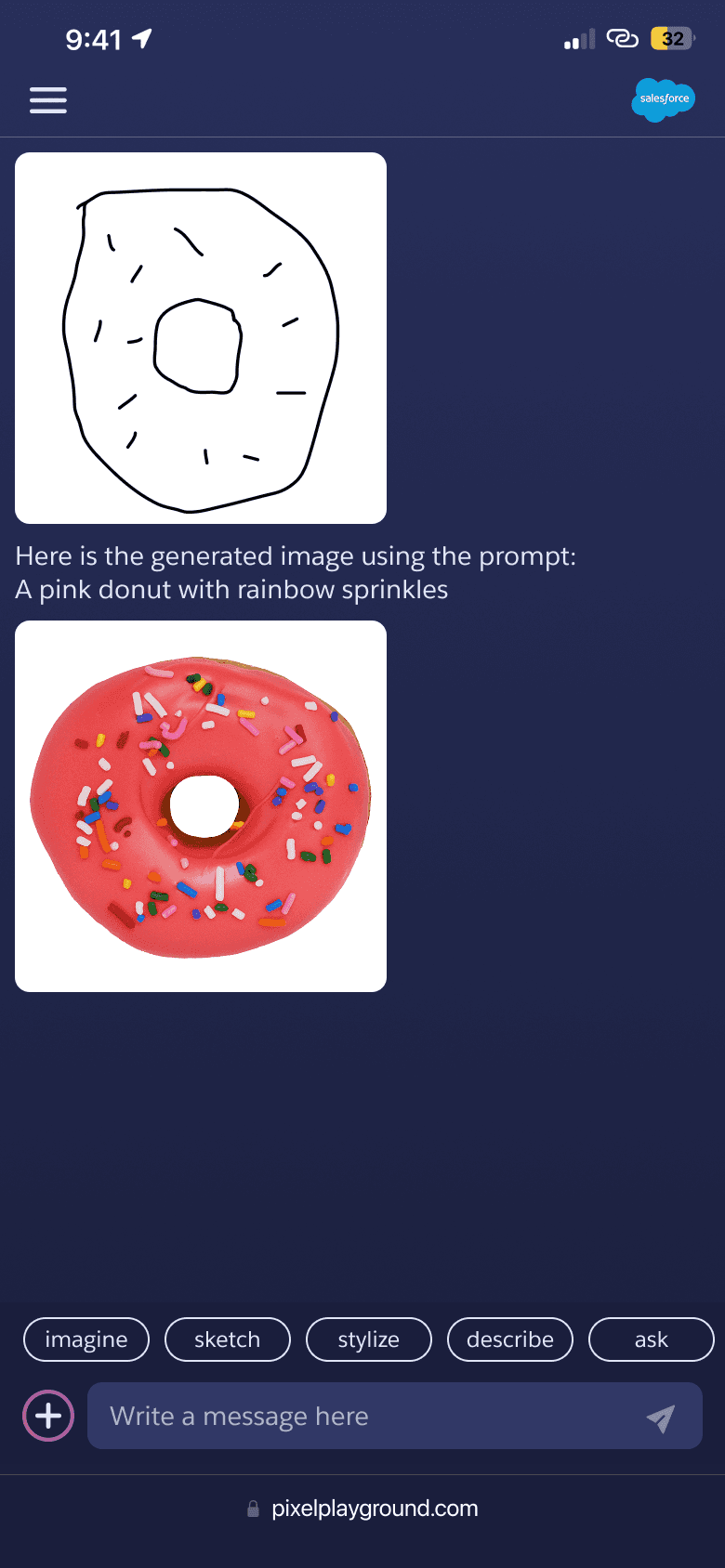
With the desktop experience complete, I adapted Pixel Playground for mobile browsers, allowing Dreamforce attendees to explore the platform on their own devices following the presentation.


Result
The completed prototype debuted at Dreamforce 2023, where attendees could explore Pixel Playground directly on their own devices following the presentation.
Originally built to showcase Salesforce’s in-house LLM and deep learning capabilities, the project explored approaches to computer vision and image analysis that would later inform broader AI initiatives at Salesforce, including the development of Agentforce.